
How to Improve SEO on Shopify: A Complete Guide for Store Owners
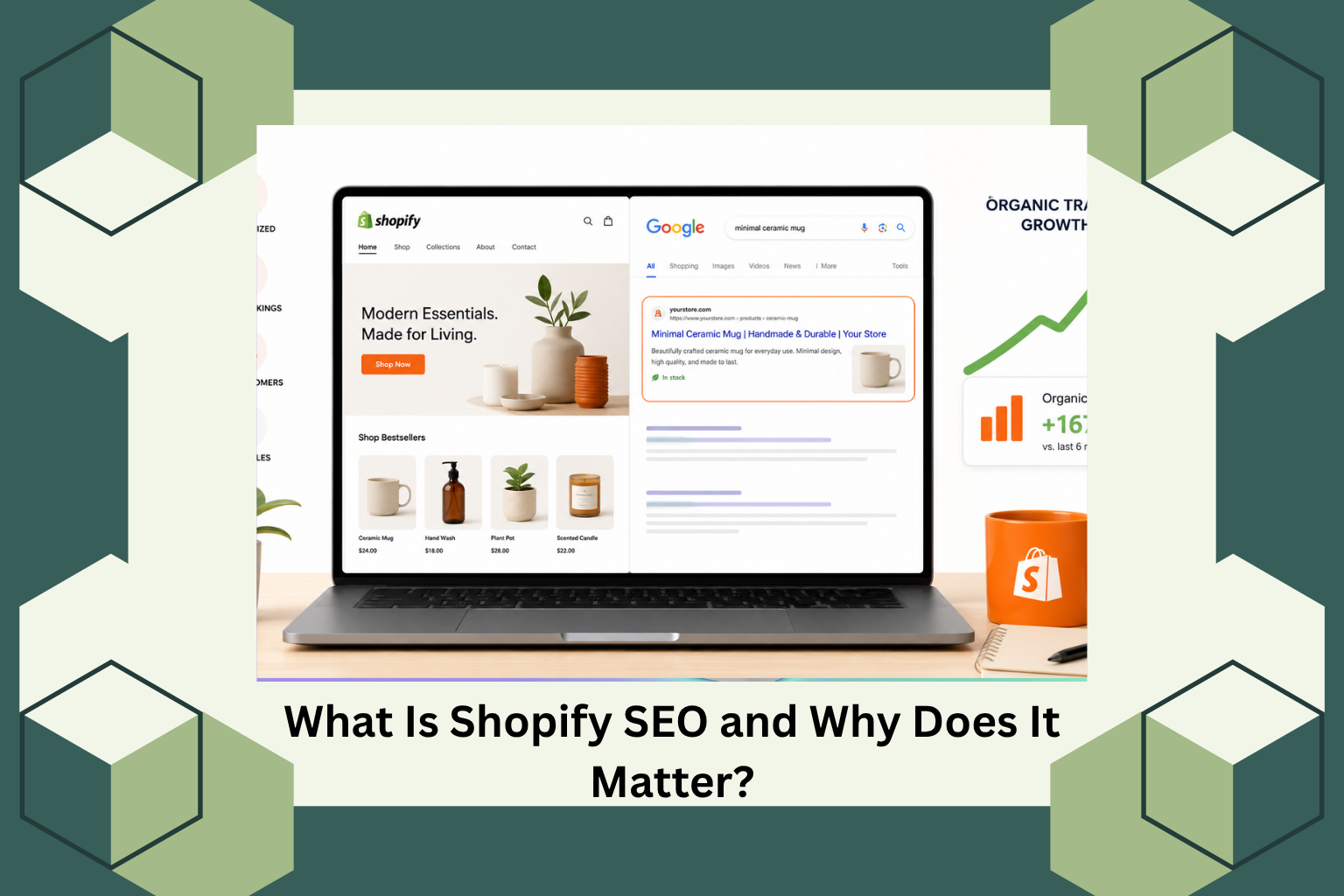
If your Shopify store is not showing up on Google, you are leaving money on the table. Shopify SEO is the most cost-effective way to drive consistent, free organic traffic to your store without spending on ads. The good news? You do not need to be a technical expert to improve SEO on Shopify. This guide walks you through the most impactful steps to get your Shopify store ranking higher on Google and attracting more buyers.
What Is Shopify SEO and Why Does It Matter?
Shopify SEO refers to the process of optimizing your Shopify store so it ranks higher in search engine results pages (SERPs). When someone searches for a product you sell, a well-optimized store appears at the top of Google, gets more clicks, and converts more visitors into paying customers.
Without proper Shopify SEO, even the best products stay invisible online. With it, your store gets free, compounding traffic that grows over time.
1. Start With a Full Shopify SEO Audit
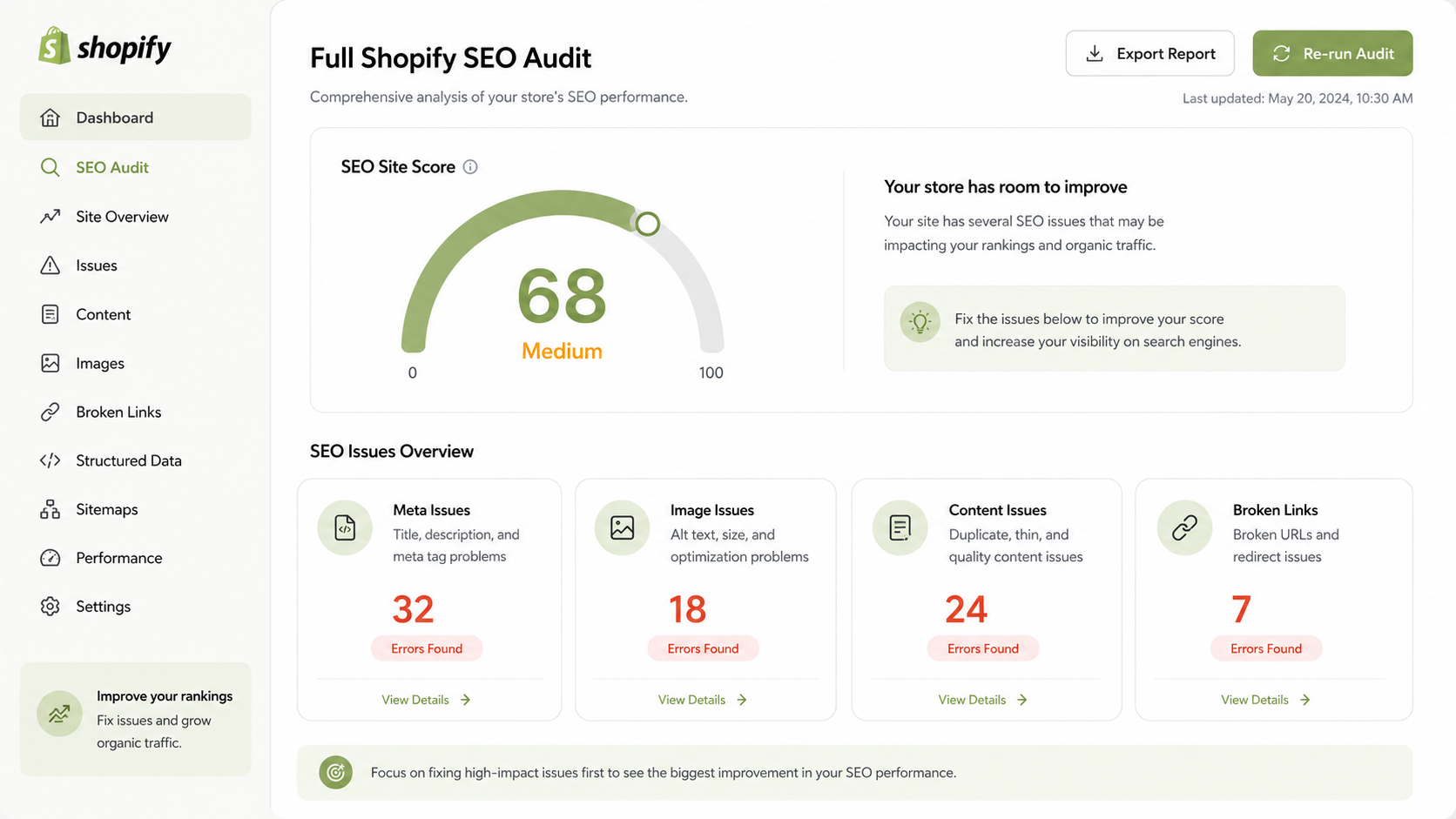
The first step to improve SEO on Shopify is understanding exactly what is wrong with your store right now. A proper Shopify SEO audit scans your entire store and surfaces issues across four critical areas:
- Meta issues: Missing or poorly written title tags and meta descriptions
- Image issues: Uncompressed images and missing alt text
- Content issues: Thin, duplicate, or keyword-poor product descriptions
- Broken links: Pages and URLs that return errors or lead nowhere
Every Shopify store gets an SEO Site Score between 0 and 100:
- 0 to 40 (Low): Significant SEO weaknesses with low probability of ranking
- 41 to 70 (Medium): Partially optimized with moderate improvement possible
- 71 to 100 (High): Strong optimization with high likelihood of positive SEO and traffic impact
AeroRank SEO AI automatically scans your entire Shopify store, shows a full breakdown of errors across all four categories, and offers a one-click fix for quick resolution. It is 100% free to install and use on the Shopify App Store.
2. Optimize Product Title Tags and Meta Descriptions
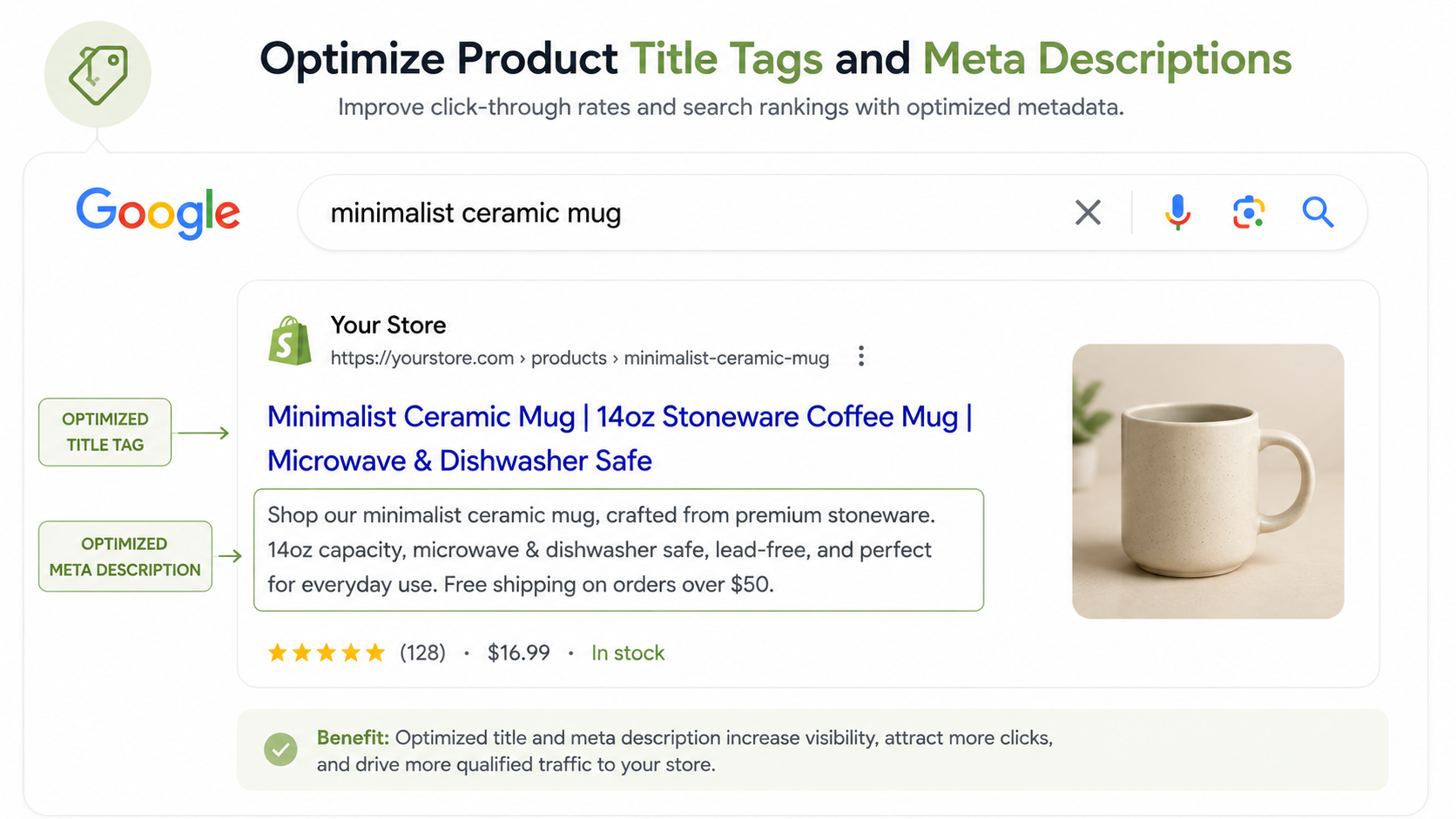
Your meta title and meta description are the first things shoppers see on Google. Weak ones get skipped. Strong ones get clicks.
Best practices for Shopify meta titles:
- Keep them between 50 and 70 characters
- Include your primary keyword naturally near the beginning
- Add a value hook like “Free Shipping” or “Best Price”
Best practices for Shopify meta descriptions:
- Stay within 120 to 160 characters
- Include the target keyword at least once
- End with a clear, action-driven CTA
Writing optimized meta tags manually for hundreds of products is not realistic. AeroRank SEO AI’s bulk metadata feature lets you build dynamic templates using variables like product name, price, store name, SKU, and vendor, then apply them across your entire Shopify catalog in one action. A live preview shows exactly how each title and description will appear in Google before you save anything.
3. Add SEO-Friendly Image Alt Text Across Your Store
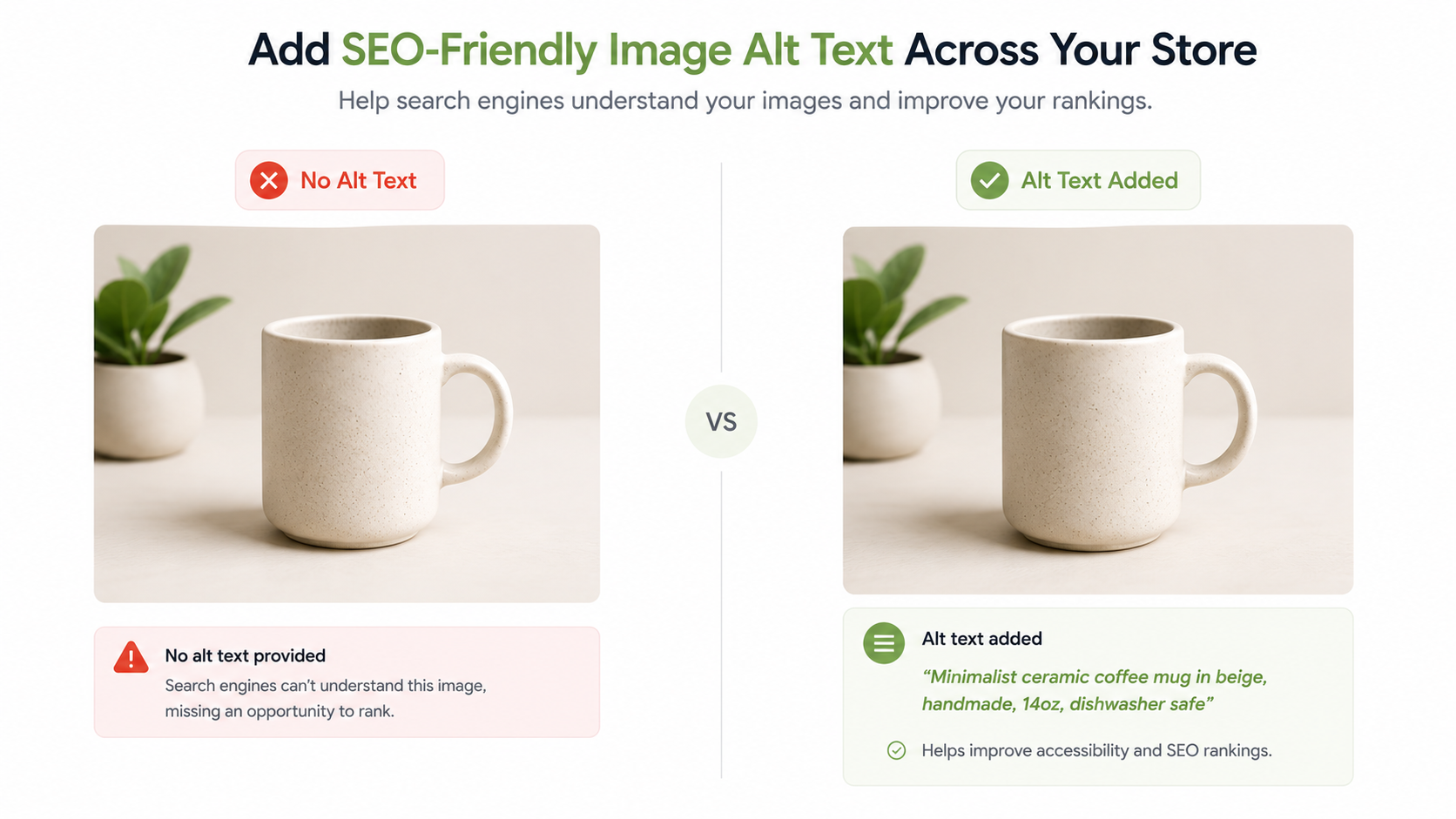
Search engines cannot see images. They read alt text. Missing alt text means your product images contribute nothing to your Shopify SEO, and it also hurts your store’s accessibility score.
Every product image should have a descriptive alt tag that includes the product name and type. A good example:
Red leather crossbody bag, women’s shoulder bag
AeroRank SEO AI generates and applies bulk alt text across all your product, collection, and blog images automatically. You can also enable the Set and Run automation so every new image added to your Shopify store gets optimized without any manual work.
4. Improve Shopify Store Speed and Compress Images
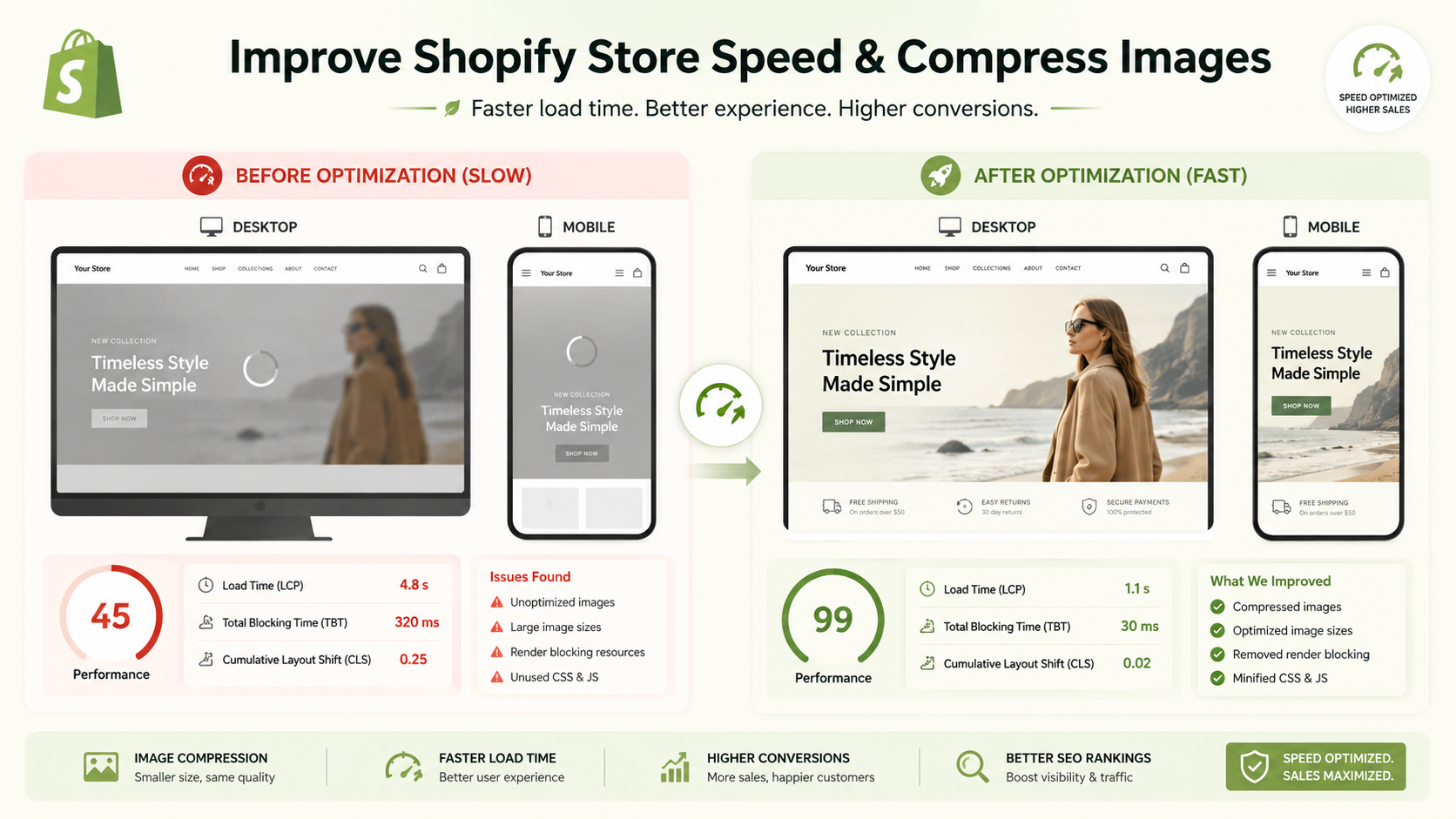
Page speed is a confirmed Google ranking factor. Slow Shopify stores rank lower, get higher bounce rates, and convert fewer visitors. Large, uncompressed images are the most common cause of slow page load times on Shopify.
AeroRank SEO AI includes a built-in image compression tool with two modes:
- Auto Optimization: Compresses all images automatically on a set schedule. Track full optimization history, compare before and after file sizes, and restore original images within 30 days if needed.
- Manual Optimization: Select and compress specific product, collection, or blog images on demand.
The Site Speed Health section inside the app shows your PageSpeed scores for both desktop and mobile across your homepage, product pages, collection pages, and custom pages. If you want hands-on help, the Get Free Speed Boost option connects you directly with an SEO expert from the support team.
5. Write SEO-Optimized Shopify Product Descriptions
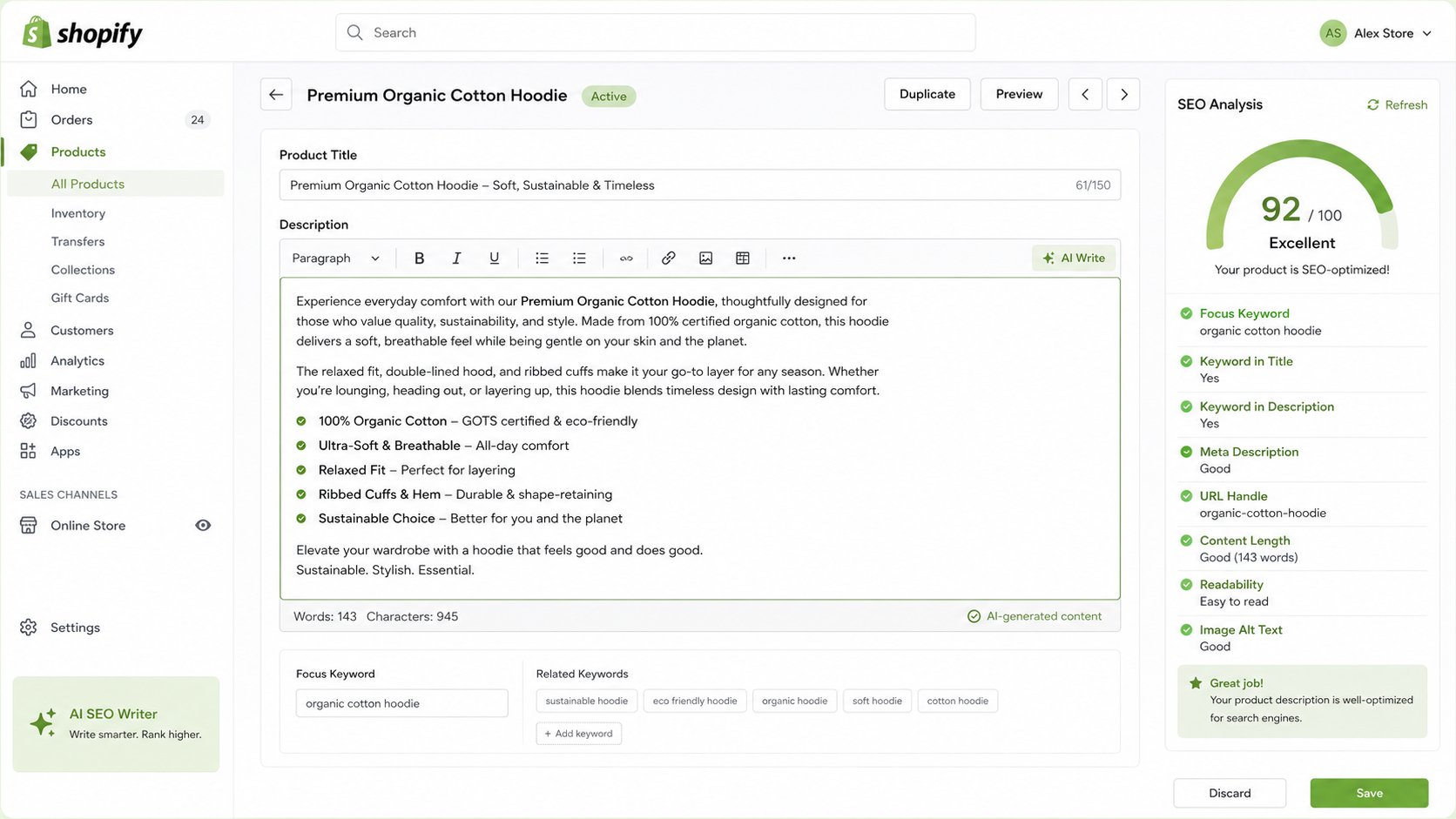
Thin product descriptions are one of the biggest Shopify SEO mistakes store owners make. A one or two line description tells neither Google nor your customer why they should buy.
A strong, SEO-optimized Shopify product description should:
- Include your primary keyword in the first paragraph
- Use an H2 subheading containing the target keyword
- Be at least 150 words long
- Cover product features, benefits, and use cases clearly
- Include 1 to 4 product images with proper alt text
AeroRank SEO AI generates complete SEO-optimized product descriptions using AI. You choose the tone, from friendly and playful to formal, persuasive, or expert, and select the output language from over 20 options. The app also shows a live SEO score as you edit so you can see the impact of every change in real time before publishing.
6. Research the Right Keywords for Your Shopify Store
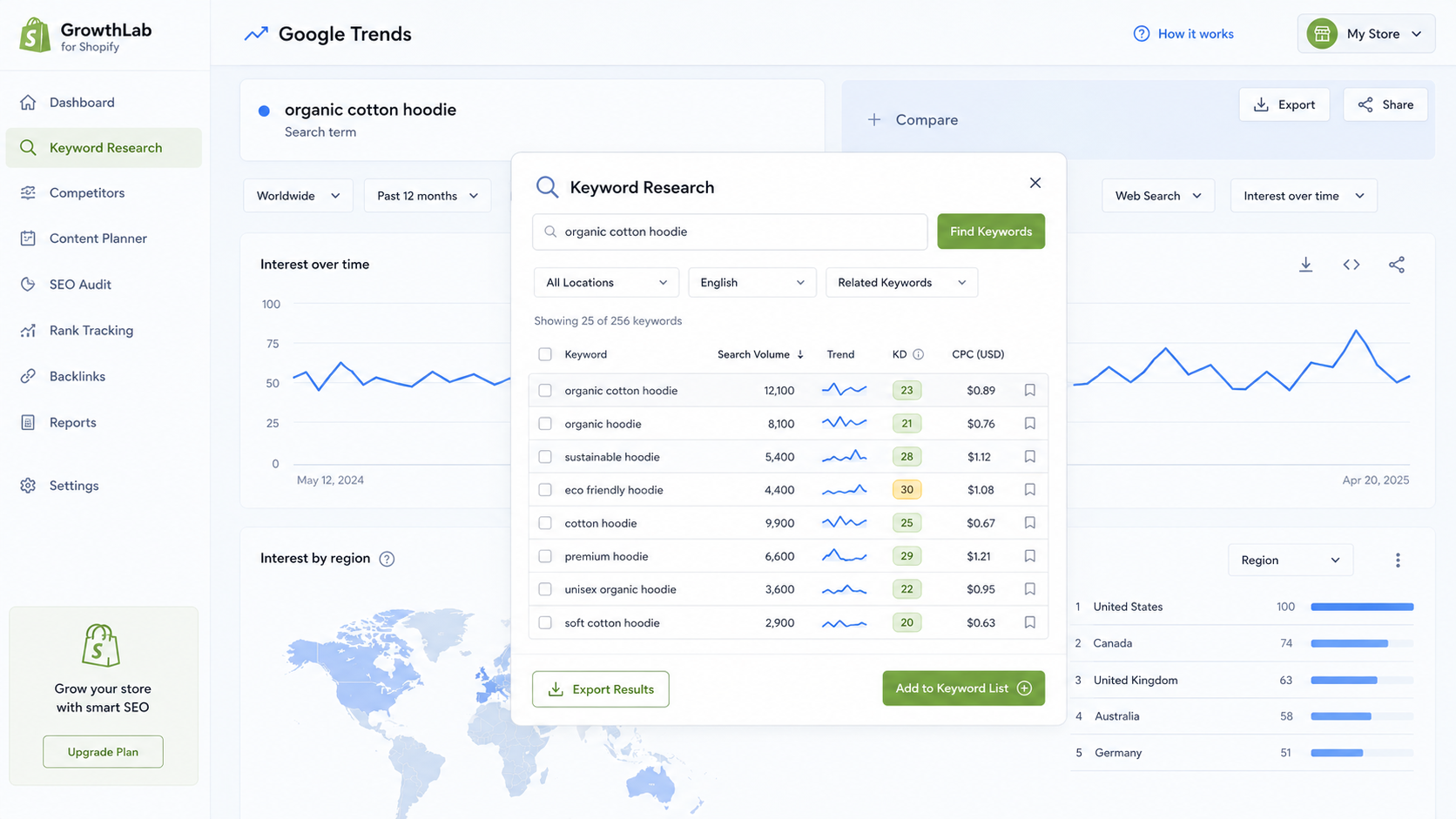
One of the most overlooked steps when trying to improve SEO on Shopify is keyword research. Every product page, collection page, and blog post should target a specific search term your ideal customer is already typing into Google.
When choosing Shopify SEO keywords, look for:
- Decent monthly search volume
- Low to medium competition
- Clear buyer or commercial intent
AeroRank SEO AI’s keyword suggestion tool gives you two views inside the app:
- AI Suggestions: Relevant keywords generated based on your specific product
- Competitor Similar Keywords: Keywords your top competitors rank for that your store is currently missing
Each keyword links directly to Google Trends so you can verify real demand before committing. Adding the right keyword updates your live SEO score instantly so you know whether the change is worth making.
7. Add Structured Data to Unlock Rich Snippets on Google
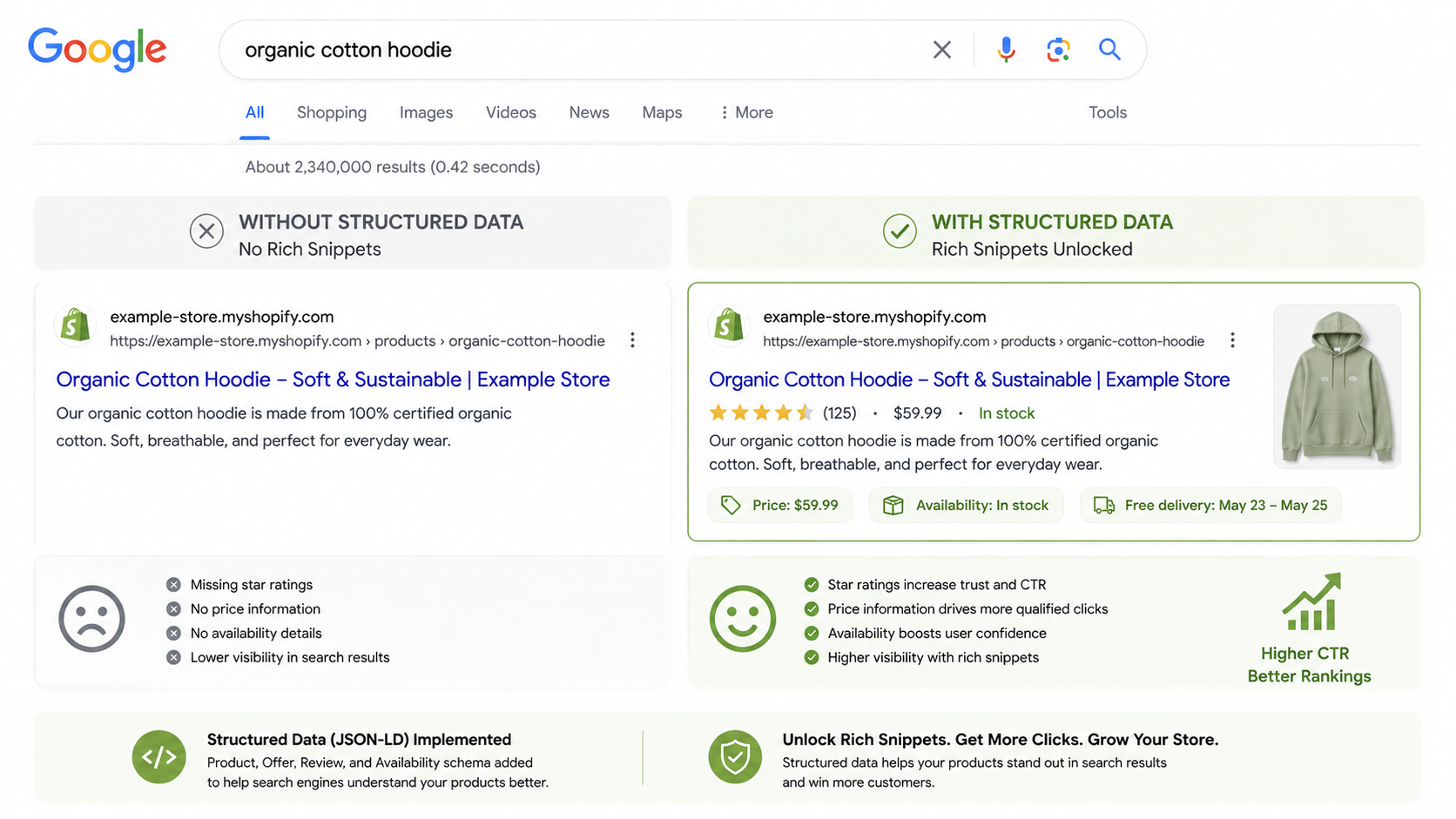
Rich snippets are the star ratings, price tags, and stock availability badges that appear directly in Google search results. Shopify listings with rich snippets get significantly higher click-through rates than plain text results, which means more traffic without moving up in rankings.
AeroRank SEO AI enables JSON-LD structured data for:
- Product pages covering price, availability, and SKU
- Breadcrumb navigation
- Blog posts and custom collections
- Customer reviews pulled from apps like Loox, Ali Reviews, and Air Reviews
Once enabled, the app generates the correct schema markup and pushes it live without any coding required. A built-in Google preview simulator shows exactly how your listing will appear in search results after the structured data is applied.
8. Outrank Competitors With AI-Powered Content Analysis

If a competitor is outranking your Shopify store, there is always a specific reason. AeroRank SEO AI’s Competitor SERP Stealer feature identifies the top 3 Google-ranking pages for any target keyword and benchmarks them against your page across:
- Word count and overall content length
- Keywords they rank for that your page is missing
- Sections and headings they use that you do not have
- Content depth and search intent alignment
Based on this gap analysis, the AI delivers rewrite suggestions and lets you apply them directly to your page. You can add missing sections, rewrite specific parts, or let the AI regenerate the full content to outperform your competition.
9. Automate Shopify SEO for Every New Product
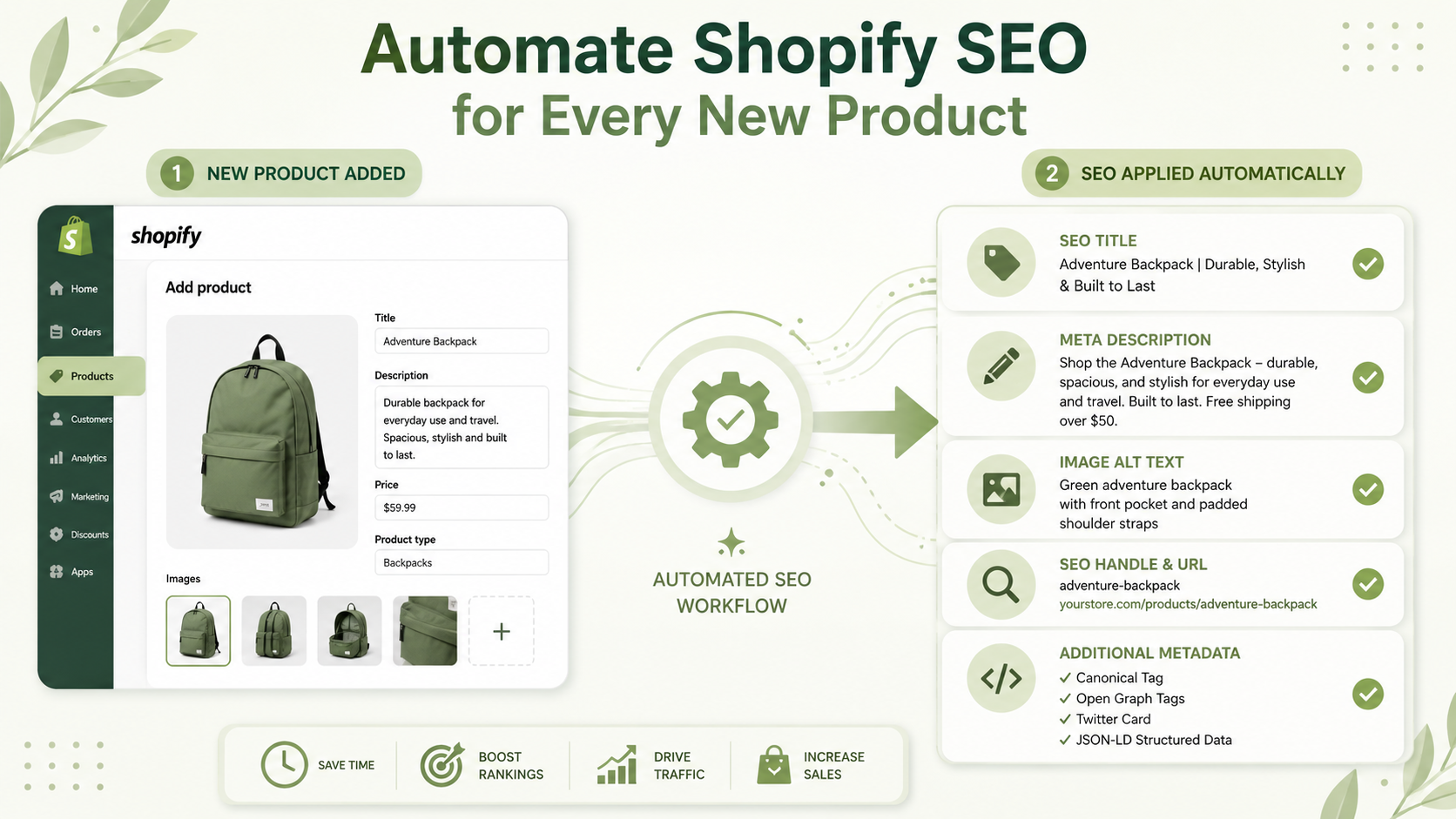
Most Shopify store owners optimize their existing products but forget about new ones. Every time you add a new product without SEO, you are publishing a page that Google will largely ignore.
AeroRank SEO AI‘s automation feature applies your saved metadata templates and image alt text rules to every new product added to your store automatically on a daily basis. Your catalog can grow without your SEO falling behind.
Frequently Asked Questions About Shopify SEO
Does Shopify have built-in SEO features? Shopify includes basic SEO settings like editable title tags, meta descriptions, and canonical URLs. However, built-in features alone are not enough to compete seriously in search results. A dedicated Shopify SEO app like AeroRank SEOAI fills the gaps with AI content generation, bulk optimization, structured data, competitor analysis, and automated SEO for new products.
How long does it take to see SEO results on Shopify? Most Shopify stores start seeing measurable improvements in organic traffic within 3 to 6 months of consistent SEO work. Technical fixes like meta tags and image alt text can show results faster, while content improvements typically take longer to gain traction.
What is the best free SEO app for Shopify? AeroRank SEO AI is one of the most comprehensive free SEO apps available on the Shopify App Store. It covers everything from SEO audits and bulk metadata to AI content generation, image compression, structured data, and competitor analysis, all at no cost.
Final Thoughts
Improving SEO on Shopify is not a one-time task. It requires ongoing attention across metadata, content quality, image optimization, site speed, and technical SEO structure. The Shopify stores that rank consistently treat SEO as a system, not a checklist.
AeroRank SEO AI is a free Shopify app that covers every step in this guide from a single dashboard. Run your first SEO audit today, fix the highest-impact issues first, and let the automation handle the rest as your store grows.
