

How to Add Custom Product Options in Shopify
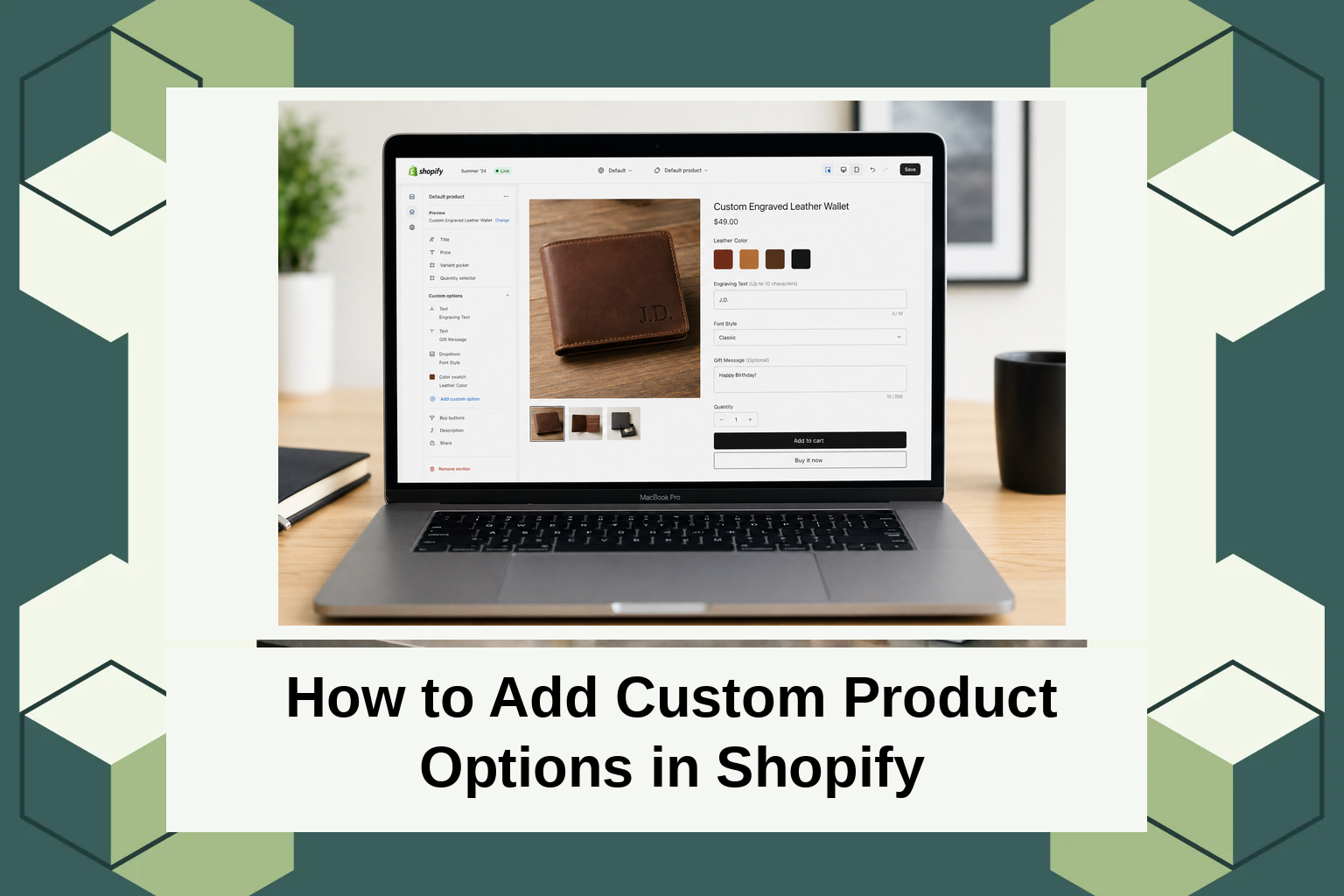
How to Add Custom Product Options in Shopify
In the evolving world of e-commerce, personalization plays a pivotal role in customer satisfaction and sales performance. A recent market analysis indicated that businesses offering customized products see a 20% increase in sales. This makes sense, as consumers today not only look for quality but also unique and tailored experiences. The ability to offer custom product options in Shopify can significantly enhance your store’s appeal and add a competitive edge. In this post, you’ll learn how to add custom product options in Shopify, exploring both introductory concepts and practical steps to implement them effectively.
What Are Custom Product Options?
Custom product options allow merchants to offer personalized choices to customers, such as selecting different sizes, colors, materials, or even engraving words on products. This concept emerged from the need to provide buyers with the flexibility to personalize products according to their preferences, thereby increasing customer satisfaction and engagement.
Primarily, these options cater to diverse customer needs, making them ideal for companies that deal with apparel, jewelry, electronics, or any product where personalization is a value-add. Newcomers to Shopify may be pleased to know that integrating custom product options doesn’t require deep technical expertise. Understanding what customers want and tailoring your offerings accordingly can open new avenues for brand loyalty and revenue growth.
Adding Custom Product Options in Shopify
For those interested in enhancing their product listings by incorporating custom options, Shopify provides several paths. The most straightforward approach is to use apps designed for product customization. These apps facilitate adding various option types such as dropdowns, checkboxes, and text boxes, enabling a range of customer choices. A recommended resource is the AeroApps suite, which offers robust customization tools.
Another avenue is customizing the Shopify theme code. Though this requires some coding proficiency, it provides ample flexibility to develop tailored solutions. Consulting with Shopify Experts can also be a practical approach for complex requirements where app-based solutions might not suffice. Regardless of the method, it’s pivotal to align custom options with customer expectations and business objectives.
Types of Widgets for Shopify Customization
Product customization widgets serve as key components in implementing custom product options Shopify. Common widget types include:
Dropdown Menus: Ideal for offering a list of predefined options such as sizes or colors. These work seamlessly in situations where customers choose from available options without needing additional input fields.
Text Input Fields: Perfect for personalized text needs like engravings or custom notes. These fields allow users to input their specific textual preferences directly into the product page.
Check Boxes and Radio Buttons: Useful for binary choices like agreeing to terms and conditions or choosing optional extras. The app suite from AeroApps provides these widgets with intuitive integration capabilities.
Each widget type plays a pivotal role in enhancing customer interaction. It’s crucial to choose the ones that align best with the products and the desired customer experience.
Pricing for Customization Apps
When considering adding custom product options, pricing is often a concern. Most Shopify customization apps, including those offered by AeroApps, follow a tiered pricing model based on features and usage levels. Small stores may find free versions or basic plans sufficient, while growing businesses seeking advanced functionalities may opt for premium tiers.
AeroApps provides a flexible pricing approach to accommodate various business sizes and needs without imposing excessive costs. This means you only pay for what you need, enabling you to budget appropriately while scaling your customization features as your business grows.
Why Custom Product Options Matter
In today’s e-commerce landscape, customization is not merely a nice-to-have but often an expectation. Customers value the ability to create products that mirror their preferences, which in turn leads to higher satisfaction and repeat purchases. Offering customer-centric personalization can make a store stand out in a crowded market.
With over 5 million monthly users, AeroApps positions itself as a leader in Shopify customization, offering streamlined tools that simplify personalization without the need for technical know-how. This advantage, combined with effective customer service and onboarding support, sets AeroApps apart from alternative solutions.
The ability to offer unique product configurations allows brands to foster deeper customer connections, leading to stronger brand loyalty. Understanding and utilizing tools for personalization can thus be a critical differentiator in achieving business success.
How Custom Product Options Work
The process of adding custom product options typically begins with selecting an appropriate app that aligns with business requirements. For AeroApps users, the journey often starts by exploring the app interface, which is designed for ease of use with clear prompts and guidelines.
Once set up, the app allows you to define custom options for products, such as size variants, additional accessories, or personalized messages. It’s imperative to ensure all options are consistent and tested before setting them live to maintain a seamless shopping experience.
The intuitive support from AeroApps ensures that implementing these options is straightforward, even for users with limited technical background. With active customer service, integration is smooth, and any issues can be promptly addressed, making the user experience efficient and worry-free.
Conclusion
Adding custom product options in Shopify need not be a daunting task. By leveraging resources like AeroApps, you can provide personalized experiences that resonate with customers. To learn more about these solutions, consider visiting AeroApps for additional insights and support.
FAQs
What are custom product options in Shopify?
Custom product options in Shopify allow merchants to enable customers to personalize their purchase choices, such as selecting sizes, colors, or adding personalized messages. These options enhance the customer’s shopping experience by catering to individual preferences.
How can I add custom options without technical skills?
Shopify provides numerous apps that simplify the addition of custom options without requiring coding skills. Apps like AeroApps offer user-friendly interfaces with step-by-step guidance to ensure easy setup and implementation of personalization features.
Are there free options for adding custom product options?
Yes, many apps provide free tiers or trials that allow users to explore basic customization features. As needs grow, merchants can upgrade to advanced plans that offer more comprehensive functionalities, often without incurring significant expenses.
Why should I choose AeroApps for product customization?
AeroApps offers an all-encompassing suite specifically designed for Shopify stores, with tools focusing on product customization, store setup, and more. Known for its user-friendly design and robust customer support, AeroApps has become a preferred choice for over 5 million monthly users seeking to enhance their e-commerce offerings.
