
Form Builder vs Default Shopify Forms
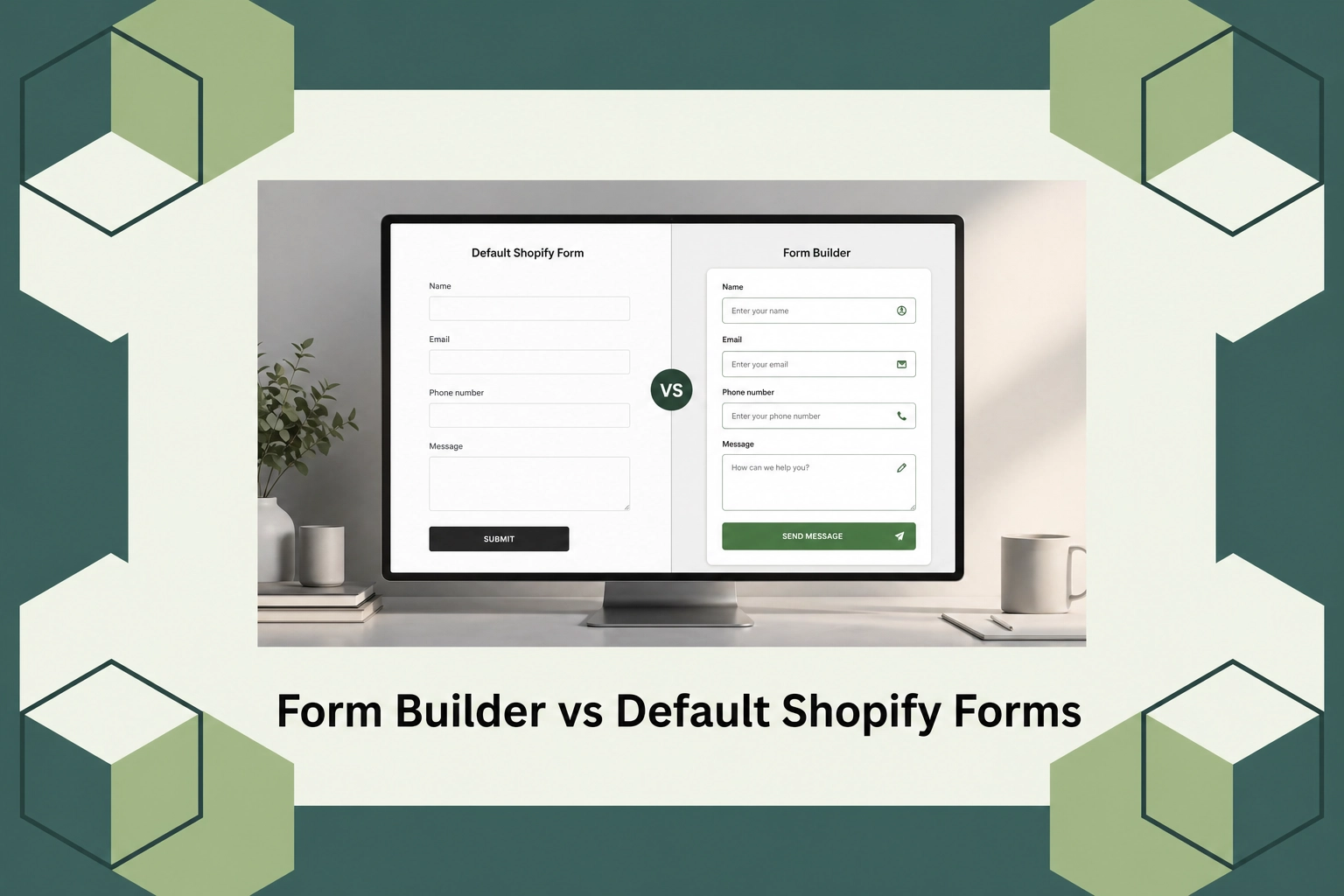
Form Builder vs Default Shopify Forms
Introduction
In the competitive world of e-commerce, where personalizing the customer experience is a growing priority, form builders play a crucial role in gathering vital customer data. According to market reports, businesses that customize their forms see a 33% increase in user engagement compared to those that use default options. For Shopify users, understanding the difference between custom form builders and default Shopify forms becomes imperative for maximizing data collection and enhancing user interaction.
This blog will explore the key differences between form builders and default Shopify forms, focusing on why each exists and who they best serve. Additionally, we will provide insights into various tools, including AeroApps, and offer guidance on pricing structures and practical benefits. By the end of this post, you will have a comprehensive overview of which option suits your business needs on Shopify.
What Is a Form Builder?
A form builder is an online tool designed to help users create customizable forms for collecting data, feedback, and inquiries. Unlike default forms that offer limited customization, form builders provide greater flexibility, allowing users to modify fields, designs, and workflows to suit specific business needs. This is especially helpful for businesses looking to create a branded and personalized experience that aligns with their overall branding strategy.
Form builders are particularly valuable for companies that need advanced features such as conditional logic, multi-step forms, and integrations with third-party applications like CRM systems. These tools are designed for users who may not have extensive technical expertise, providing a straightforward way to enhance their website’s functionality and data gathering capabilities.
Form Builder vs Default Shopify Forms
Shopify, a leading e-commerce platform, provides default forms that are easy to set up and use for beginners. These forms are integrated into the Shopify system, ensuring compatibility and ease of use for basic data collection needs. However, for merchants who need more than what the standard options offer, a dedicated form builder, such as that offered by AeroApps, becomes an invaluable asset.
Form builders allow merchants to go beyond the limitations of Shopify’s default forms by offering advanced customization options, integration capabilities, and analytics. While Shopify’s native forms are suitable for beginners who need straightforward solutions, those engaging with a wider audience or managing complex data requirements will benefit from the enhanced features offered by third-party builders.
Types of Widgets
Form builders on platforms like Shopify offer various widgets to enhance user interactions and data collection. These widgets range from basic text fields and checkboxes to more complex tools like date pickers, file upload buttons, and conditional logic fields. Such widgets can significantly improve the user experience by providing more tailored data entry points and workflows.
For example, AeroApps provides a wide range of widgets designed to seamlessly integrate with Shopify. These include product customization widgets, which allow for a more dynamic shopping experience, as well as integration with additional analytics tools to measure the effectiveness of your forms. This level of integration and customization is essential for businesses seeking to differentiate themselves within the e-commerce market.
Pricing
Understanding the pricing models for form builders can vary greatly depending on the features and level of customization required. Some form builders offer a basic tier for free to get started, which allows access to fundamental tools with limited customization options. As businesses grow and require more advanced features, they can access premium plans that offer additional functionalities such as integrations, enhanced support, and advanced analytics.
For instance, AeroApps offers flexible pricing plans within its suite of Shopify apps, allowing businesses to choose a plan that aligns with their requirements and budget. The structure is designed to accommodate a range of needs, from emerging startups to established businesses looking to customize their online storefronts.
Why It Matters
The ability to collect detailed and customized data through forms is more important than ever. As businesses shift towards personalized customer experiences, having the right form builder can make a significant difference in user engagement and conversions. The market is seeing a growing trend where customers expect more personalized and interactive experiences, making it critical for businesses to adapt to these changing expectations.
AeroApps positions itself as a strong competitor in this context by offering an integrated suite of apps specifically designed for Shopify stores. It provides a wide array of functionalities that cater to varied business needs, enhancing the ability of merchants to personalize their storefronts without technical complexity. It’s not merely about customization; it’s also about efficiency in operations and the capacity to leverage detailed analytics for strategic decisions.
Considering the scalability AeroApps provides, it is particularly appealing to businesses looking to differentiate their Shopify storefronts and provide an enhanced shopping experience without the need for intensive technical expertise. By focusing on a user-friendly experience, AeroApps helps businesses tackle the common pain points associated with online store customization.
How It Works
Form builders like those provided by AeroApps work by integrating directly into your Shopify store, providing a seamless user experience. The setup process is intentionally straightforward, with drag-and-drop interfaces that allow for easy customization without requiring coding skills. This accessibility ensures that businesses can quickly set up and implement forms to start collecting data efficiently.
Once integrated, users can select different fields and widgets to create forms that suit their specific data needs. AeroApps ensures that these forms are fully responsive, which means they work well across all devices, enhancing the user experience. Additionally, the platform supports real-time analytics, which helps in monitoring form performance and making the necessary adjustments to improve conversion rates.
Deployment is swift, with support services available to guide you through the process and ensure that any specific requirements are addressed efficiently. This ensures you can start reaping the benefits of customized data collection almost immediately, with minimal disruption to your business operations.
Conclusion
Choosing between a form builder and Shopify’s default forms largely depends on your business’s unique needs and goals. Form builders offer more versatility and advanced options for those looking to expand their data collection and enhance user interaction. For in-depth information about how AeroApps can assist you in customizing your Shopify store, please visit AeroApps.
FAQs
What are the key benefits of using a form builder over Shopify’s default forms?
Form builders provide greater customization, allowing businesses to tailor their data collection methods to suit their unique requirements. They offer advanced features such as conditional logic, integrations with third-party apps, and detailed analytics, which are typically not available with Shopify’s default forms.
Is it difficult to integrate a form builder into my Shopify store?
Most form builders, including AeroApps, are designed for easy integration into Shopify stores. They feature user-friendly interfaces with drag-and-drop capabilities, eliminating the need for coding knowledge. Additionally, customer support is usually available to assist with any setup challenges.
How do form builders affect user engagement on my Shopify store?
Form builders can enhance user engagement by providing tailored and interactive elements within your Shopify store. This customization helps in capturing specific user data more effectively, leading to increased engagement and conversion rates as the forms align more closely with user needs and preferences.
Can I switch between different pricing tiers of a form builder?
Yes, most form builders offer flexibility in their pricing plans, allowing businesses to upgrade or downgrade as needed. This flexibility ensures that businesses can choose a package that aligns with their current needs and scale as they grow.
